Portfolio Overview dashboard
Portfolio (under Workspace in the sidebar) puts every project on one screen. It's the view for whoever is accountable across sites — scan for what needs attention instead of opening each project in turn.
It comes into its own once you run more than one project. Use the project filter (top right) to narrow to a subset, and Refresh to re-fetch.
Two views
Switch with the tabs under the title. Your choice is remembered.
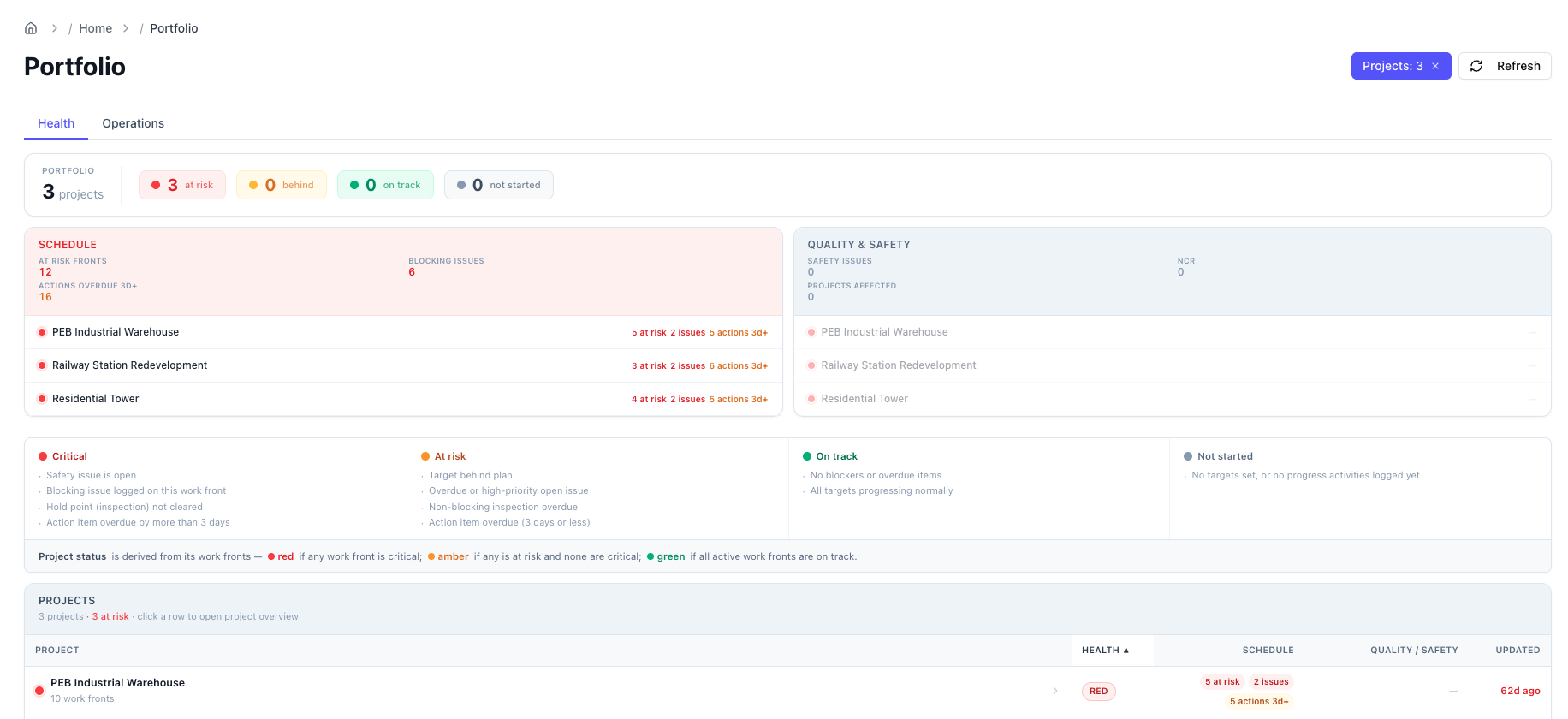
Health
For the standing question "where should I look today?"
- A summary strip: total projects, and how many are at risk / behind / on track / not started.
- Schedule card — at-risk work fronts, blocking issues, and actions overdue by more than 3 days, listed per project.
- Quality & Safety card — open safety issues and NCRs, per project. Click a project to see the issues.
- A projects table: Project · Health · Schedule · Quality / Safety · Updated.
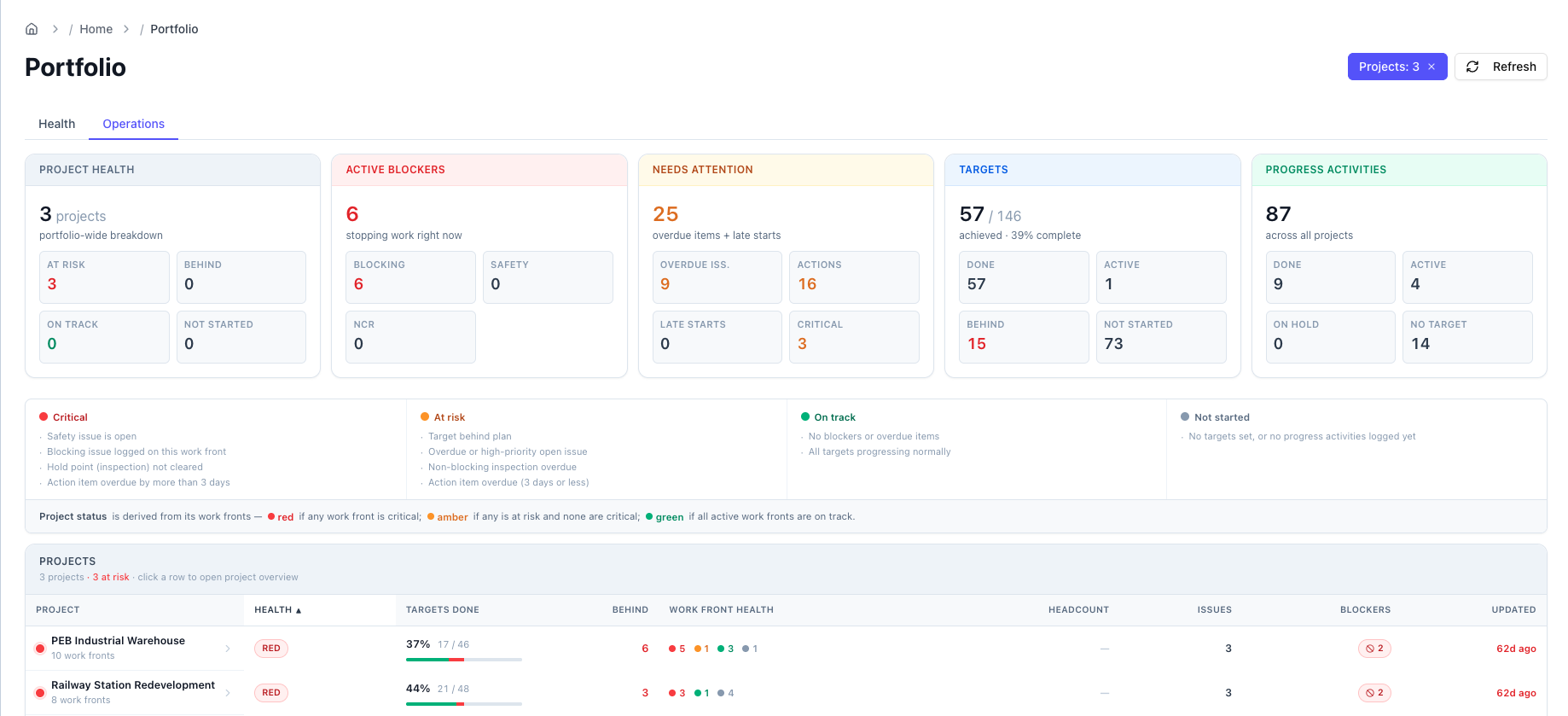
Operations
A fuller cross-project readout.
- Five KPI cards: Project Health, Active Blockers, Needs Attention, Targets, Progress Activities — each aggregated across the portfolio.
- A wider projects table: Project · Health · Targets done · Behind · Work front health · Headcount · Issues · Blockers · Updated.
Drilling in
- Click a project row — opens that project's Dashboard.
- Click an Issues or Blockers count — opens a panel listing those issues, each with its source WhatsApp messages.
- Sort any table by clicking a column header.